
Chapter Text
Welcome back! This chapter is about targeting the preface groups!
Things we'll be covering in this chapter:
Let's begin!
Single chapter
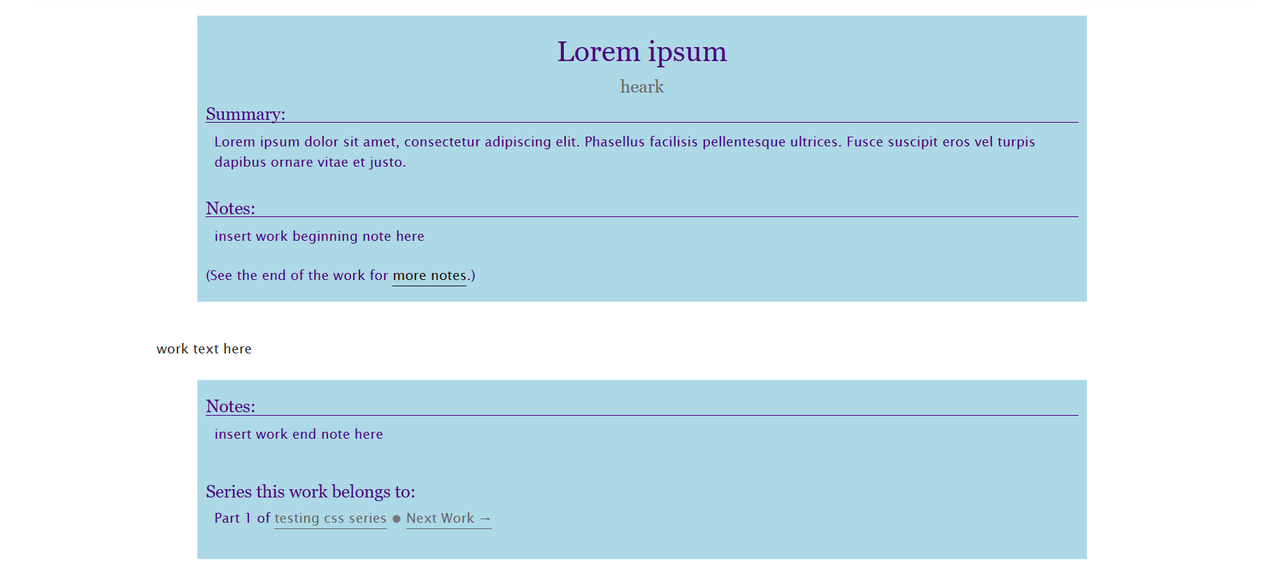
Targeting both Preface Groups
#workskin .preface.group {
color: indigo;
background: lightblue;
}
Result:
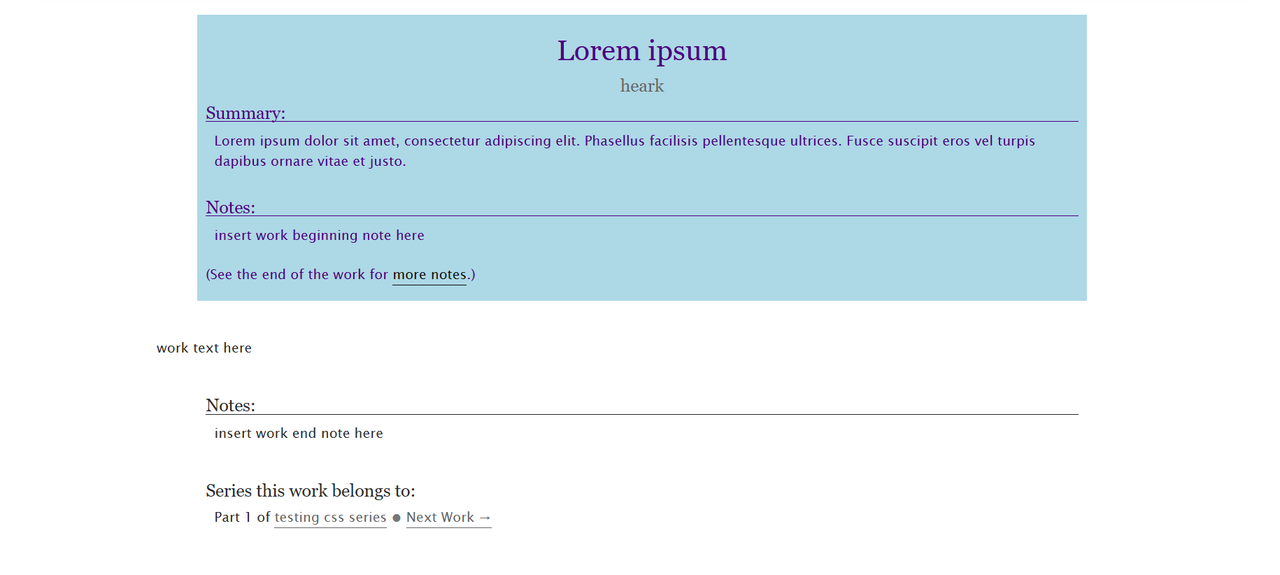
Targeting only the first Preface Group
#workskin .preface.group:first-of-type {
color: indigo;
background: lightblue;
}
Result:
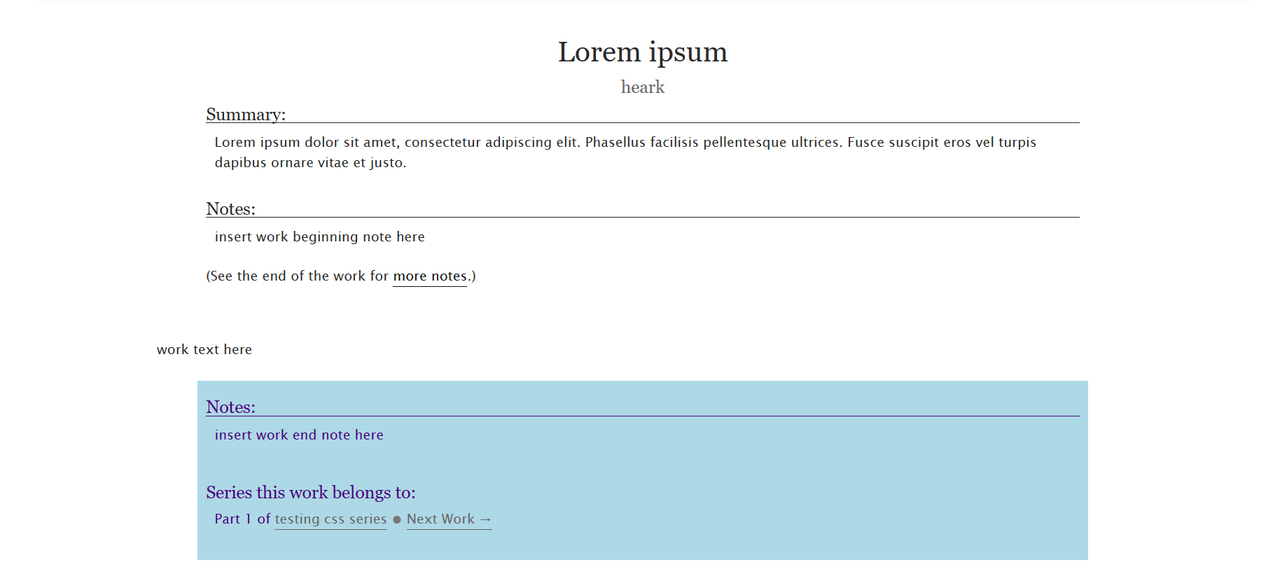
Targeting only the second Preface Group
Method 1:
#workskin .afterword.preface.group {
color: indigo;
background: lightblue;
}
Method 2:
#workskin .preface.group:last-of-type {
color: indigo;
background: lightblue;
}
Result:
Multi Chapter
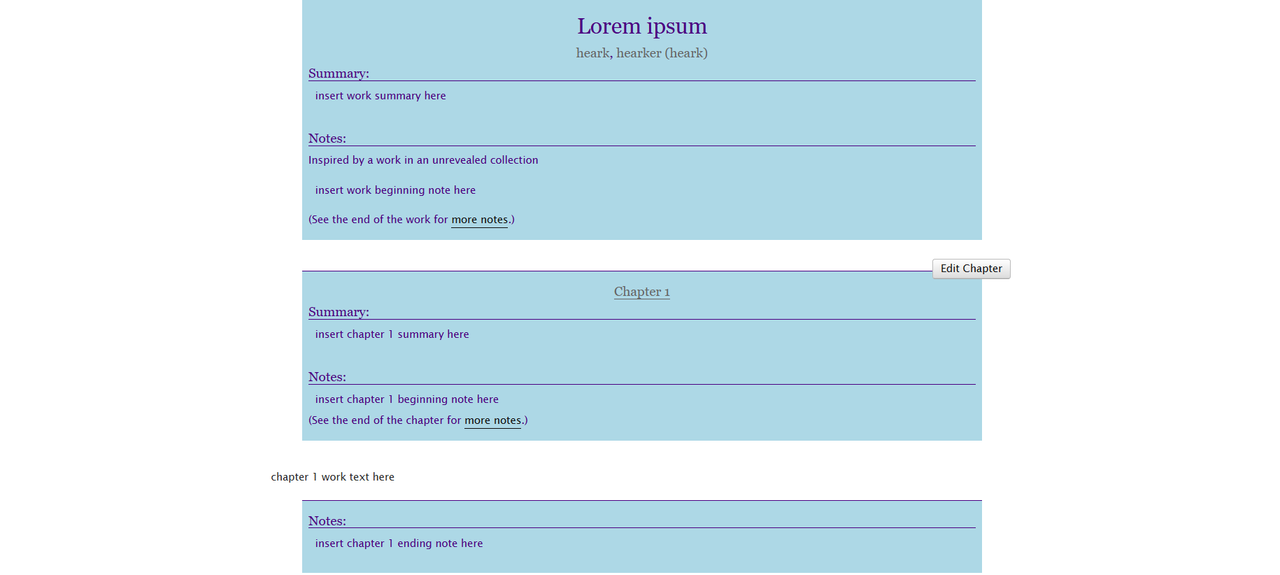
Targeting all Preface Groups
#workskin .preface.group {
color: indigo;
background: lightblue;
}
Result:
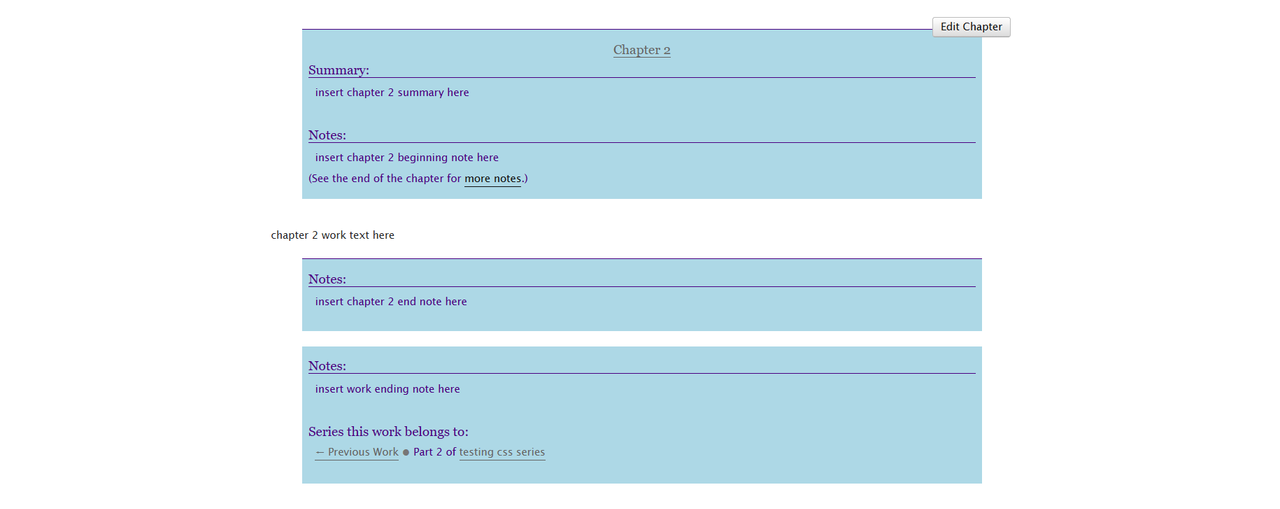
Targeting all Work Preface Groups
#workskin > .preface.group:first-of-type,
#workskin > .preface.group:last-of-type {
color: indigo;
background: lightblue;
}
Result:
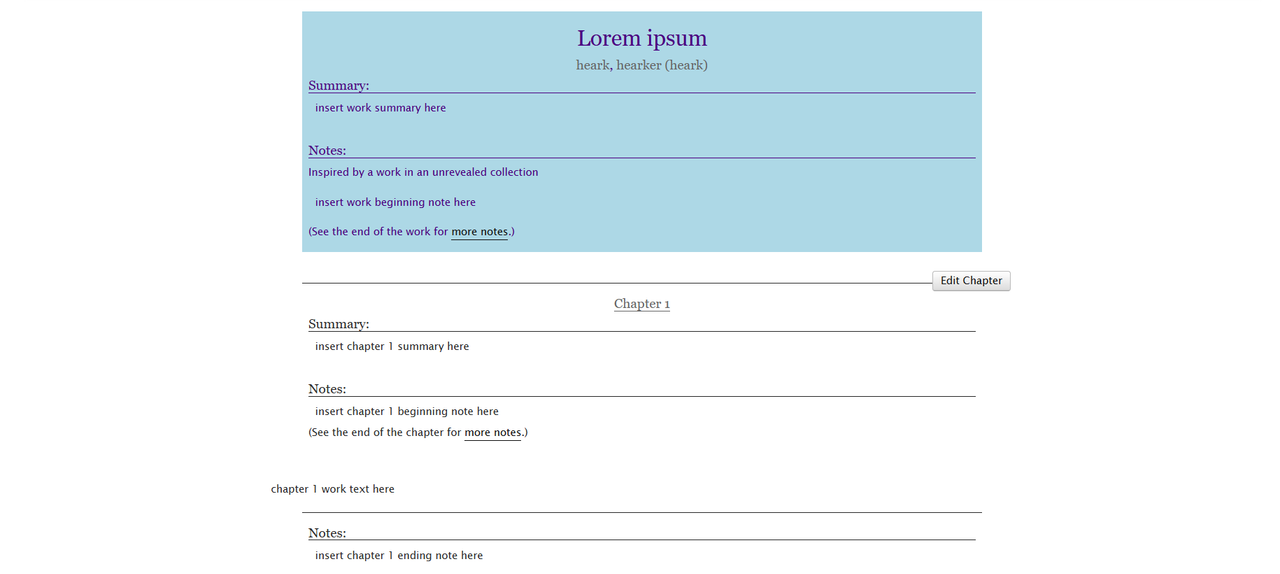
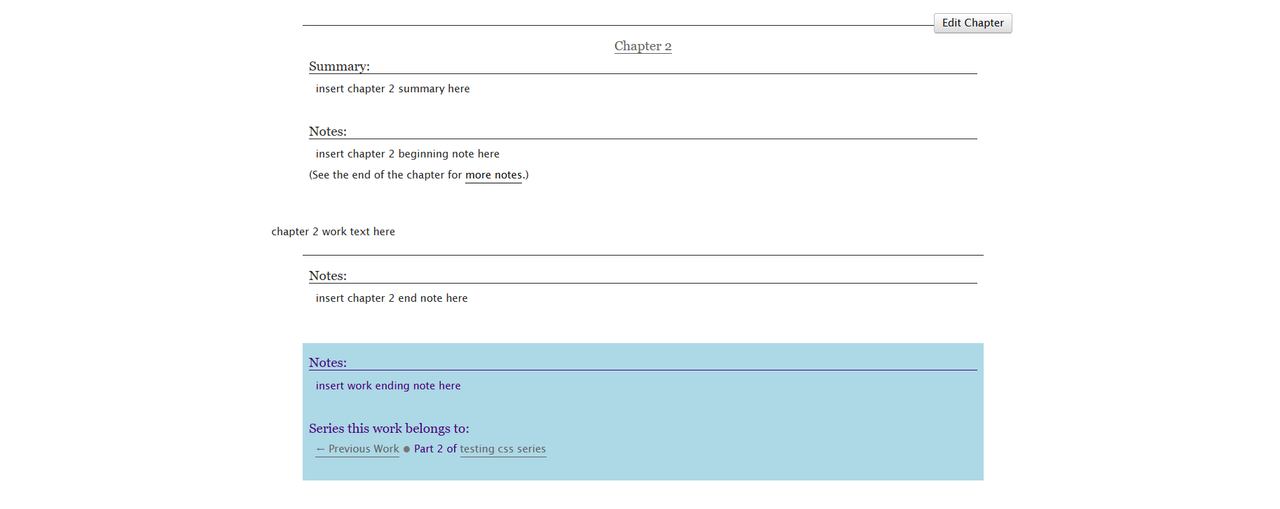
Work - First Preface Group
#workskin > .preface.group:first-of-type {
color: indigo;
background: lightblue;
}
Result:
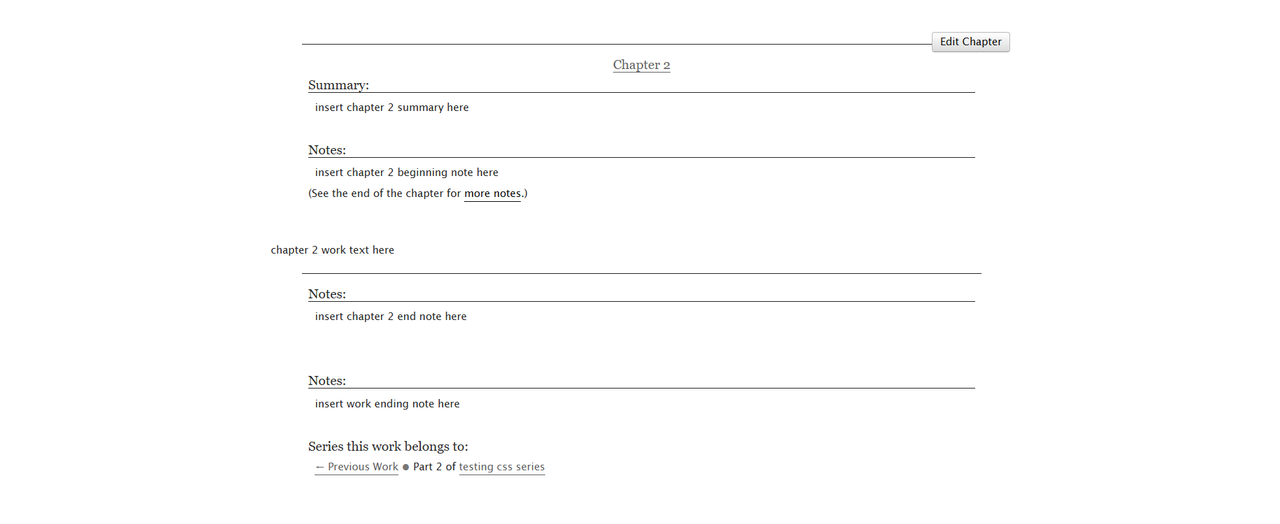
Work - Last Preface Group
#workskin > .preface.group:last-of-type {
color: indigo;
background: lightblue;
}
Result:
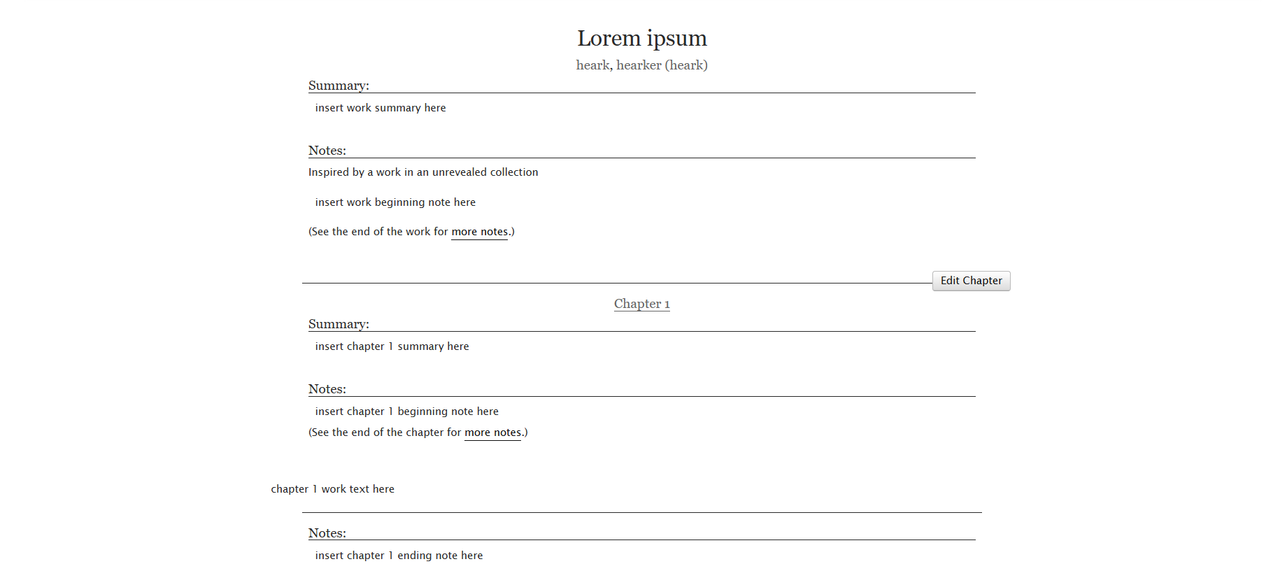
Targeting all Chapter Preface Groups
#workskin .chapter.preface.group {
color: indigo;
background: lightblue;
}
Result:
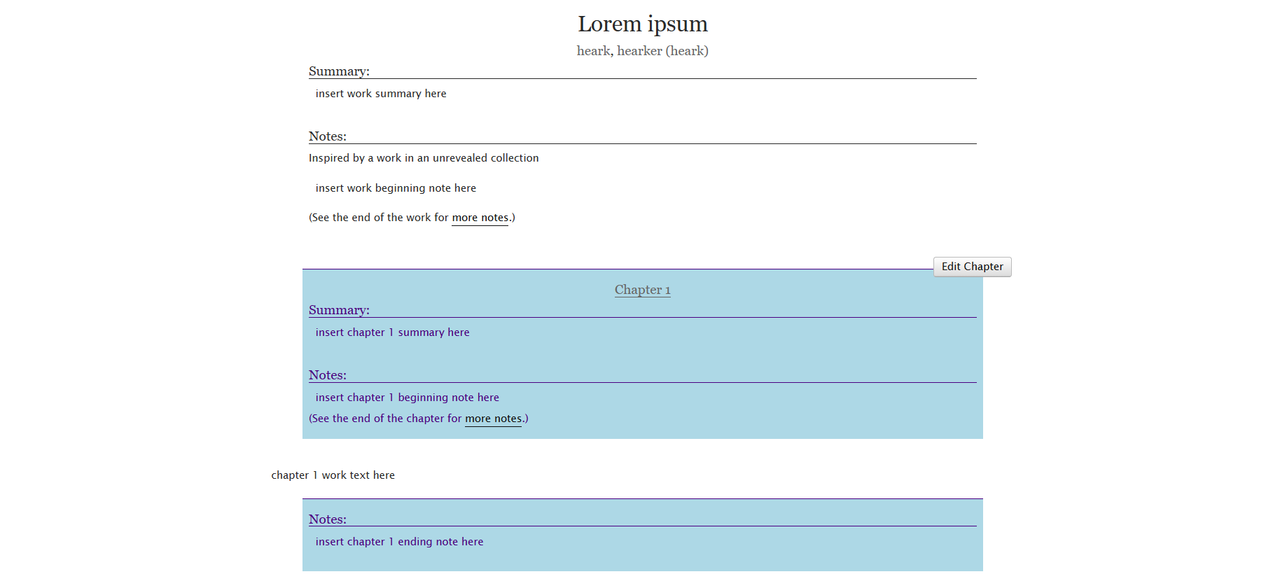
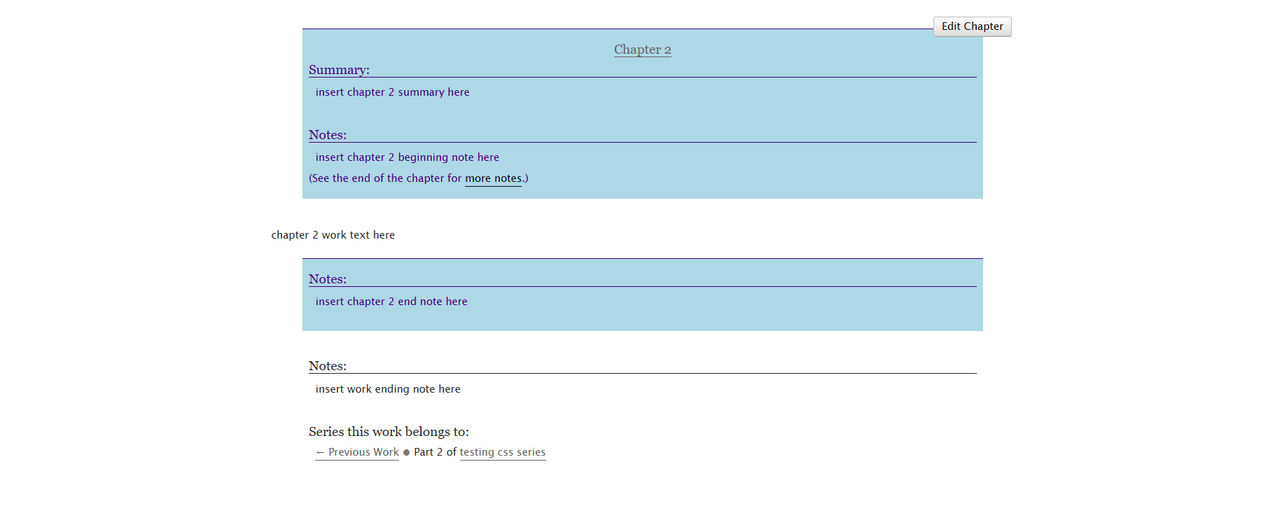
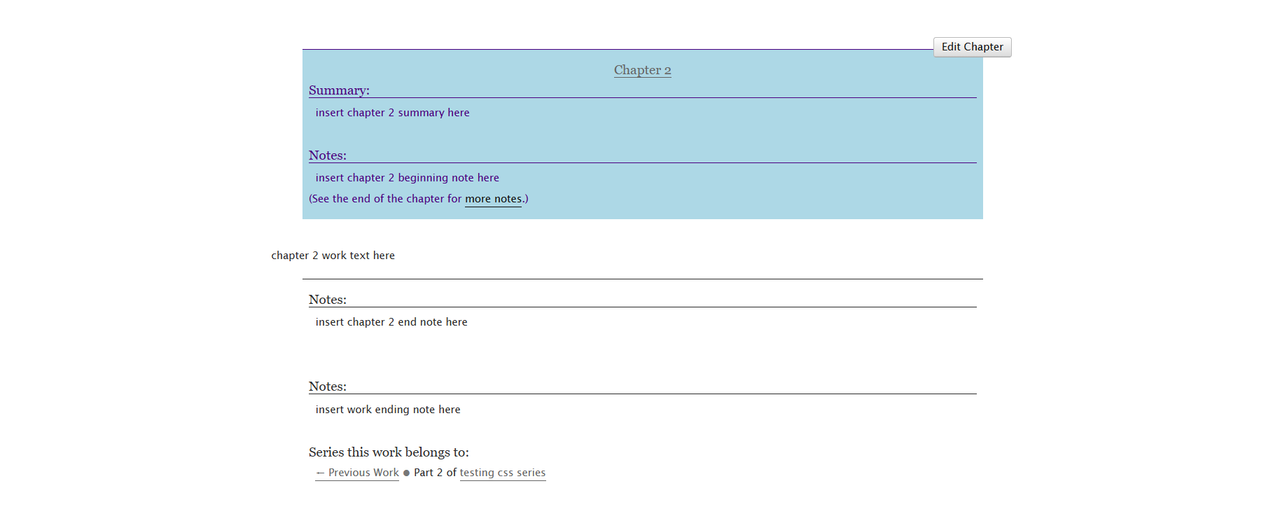
Chapter - First Preface Group
#workskin .chapter.preface.group:first-of-type {
color: indigo;
background: lightblue;
}
Result:
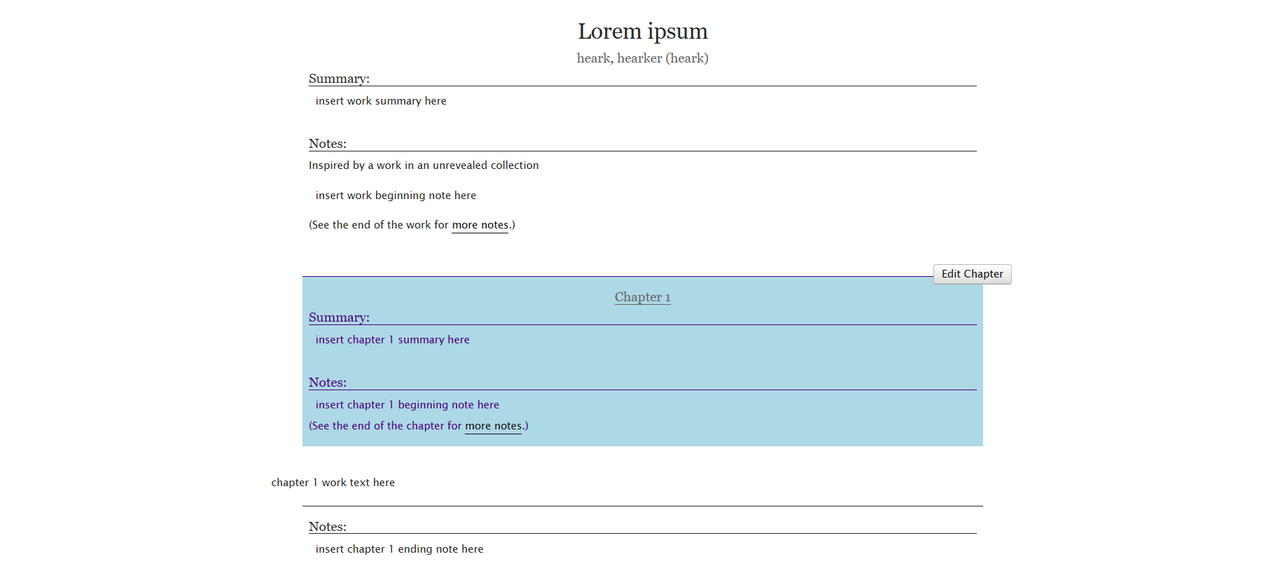
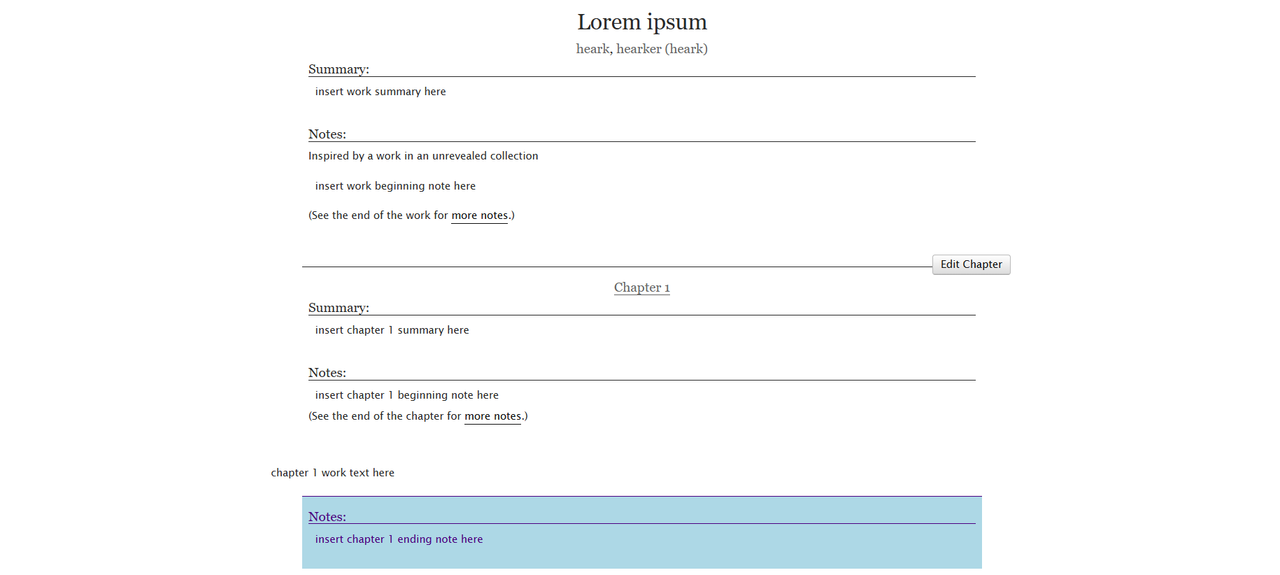
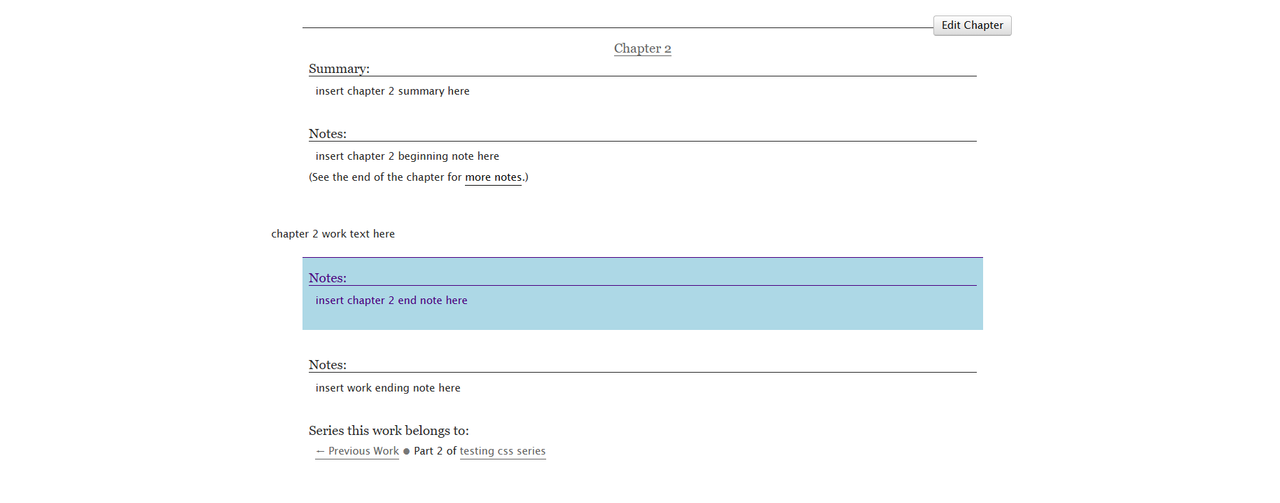
Chapter - Last Preface Group
#workskin .chapter.preface.group:last-of-type {
color: indigo;
background: lightblue;
}
Result:
Styling Specific Chapters
I learnt about this from Targeting specific AO3 work sections (not site) with CSS effects by Charles_Rockafellor!!
If you want to style different chapters separately, replace the .chapter with #chapter-X and then a space. Replace the 'X' with the number of the chapter you're targeting. Here's an example:
#workskin #chapter-1 .preface.group {
color: indigo;
background: lightblue;
}
#workskin #chapter-2 .preface.group {
color: mediumvioletred;
background: plum;
}
#workskin .preface.group {
color: teal;
background: lightgreen;
}
Result:

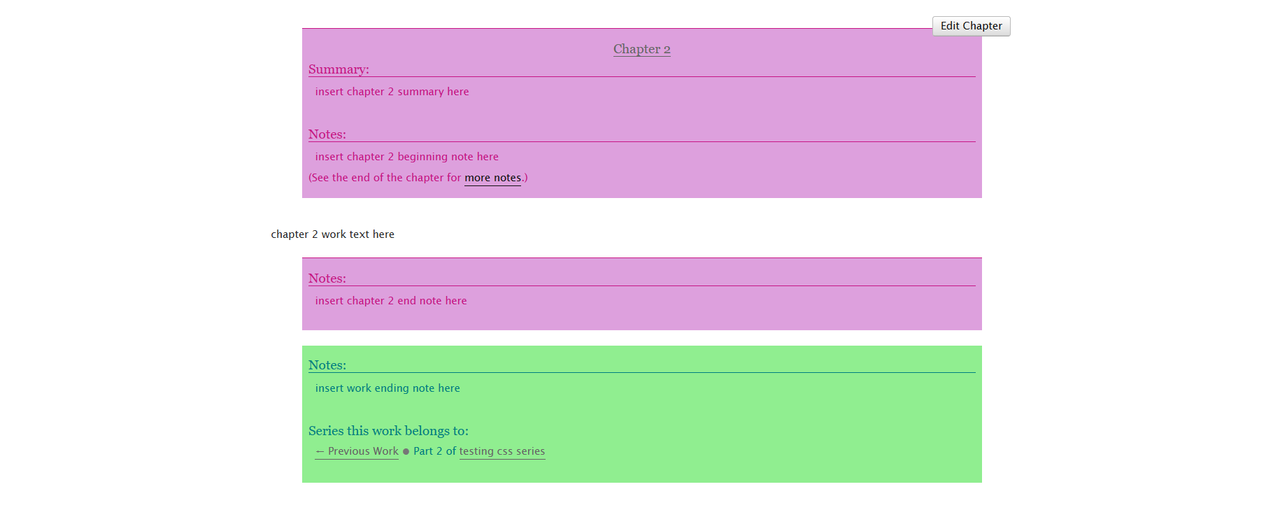
(The reason the #chapter-1 and #chapter-2 styles override the general .preface.group style is because they are more specific)
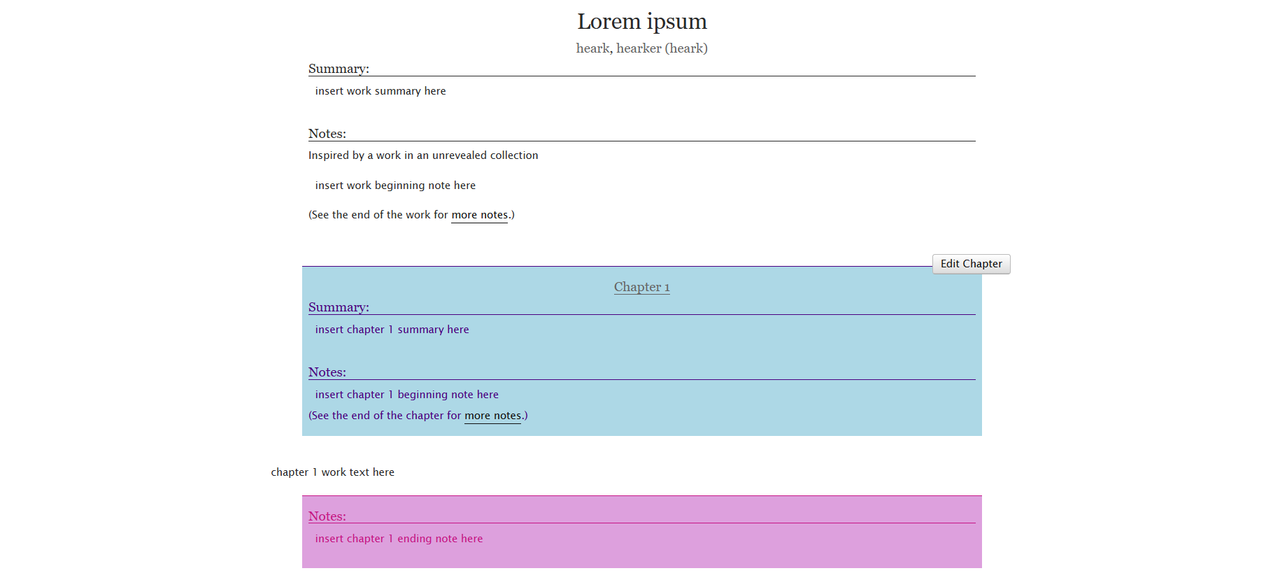
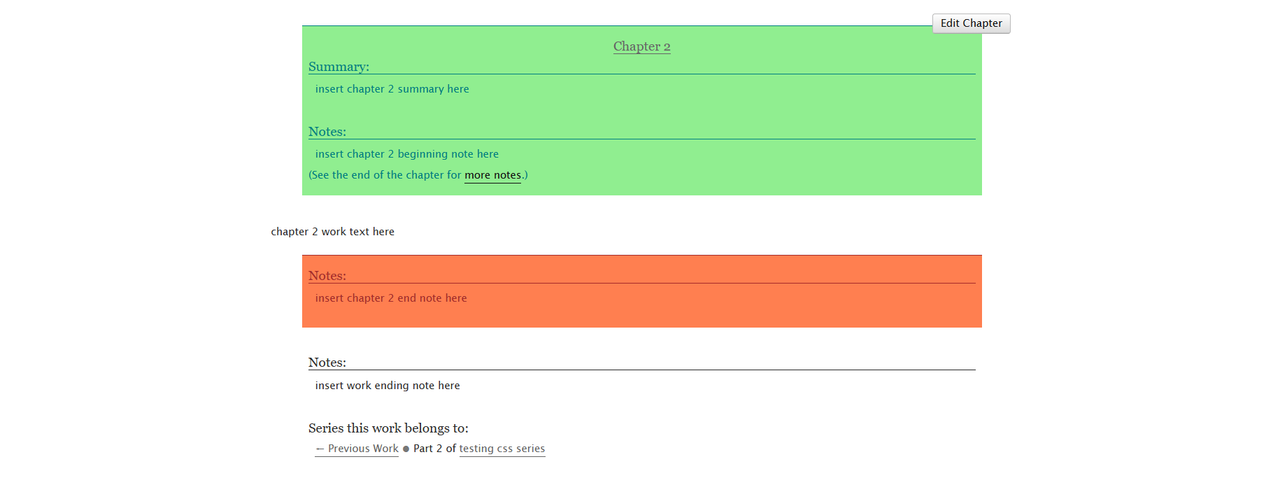
Of course, you can use this like #workskin #chapter-1 .preface.group:first-of-type and #workskin #chapter-1 .preface.group:last-of-type as well. Here's an example:
#workskin #chapter-1 .preface.group:first-of-type {
color: indigo;
background: lightblue;
}
#workskin #chapter-1 .preface.group:last-of-type {
color: mediumvioletred;
background: plum;
}
#workskin #chapter-2 .preface.group:first-of-type {
color: teal;
background: lightgreen;
}
#workskin #chapter-2 .preface.group:last-of-type {
color: brown;
background: coral;
}
Result:
Thanks for reading! I hope this helped. I'll keep updating this fic as I find new stuff!